
Watchlist
The watchlist holds up to 200 items you follow, per house. Each shows a reading (such as Spiking, Rising or About usual), why in a sentence, a line of its last 30 days, the price, its change over 1 and 7 days, and units listed.
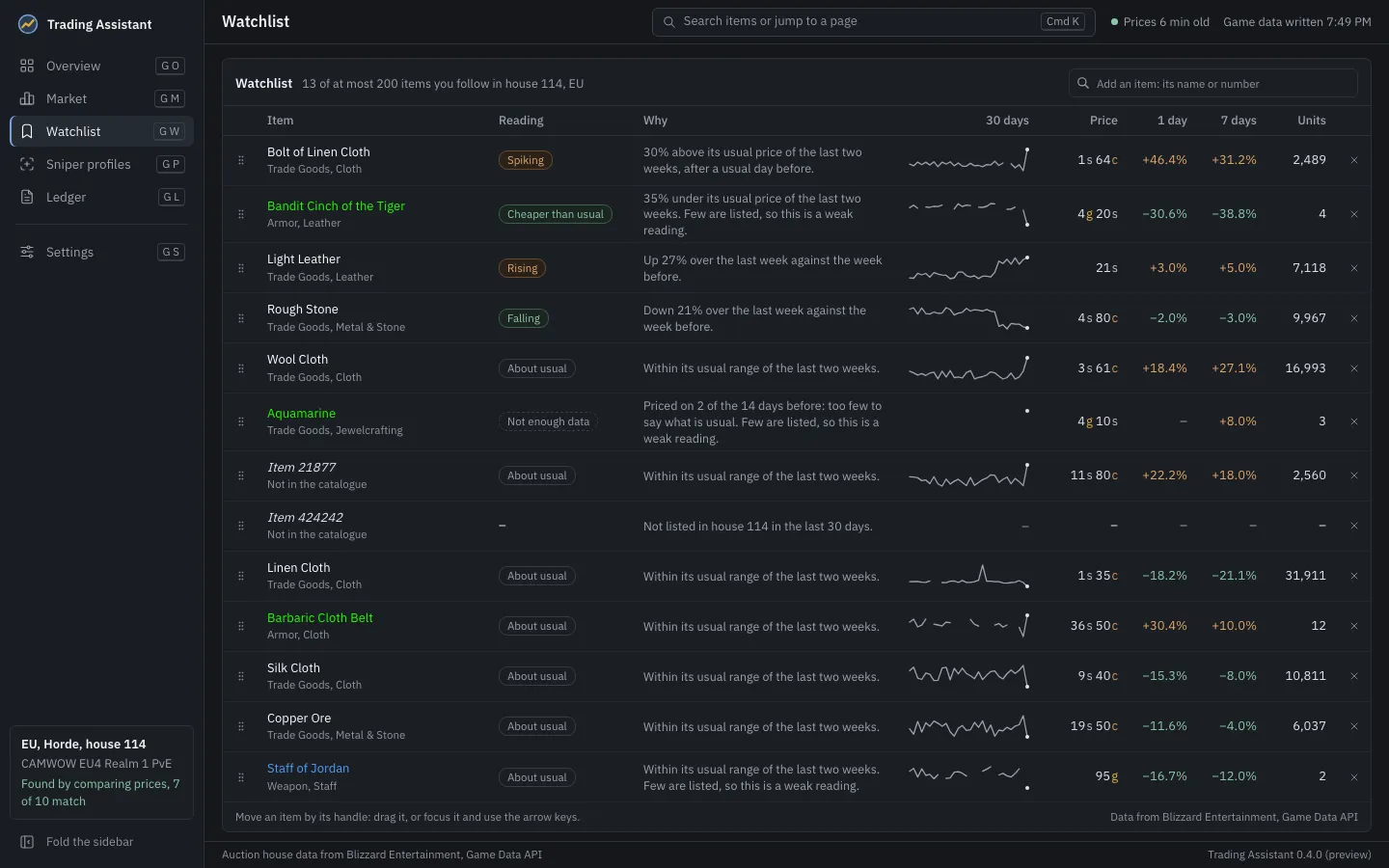
- Add an item: type its name or its number in the box at the top and pick it. Items the server’s catalogue lacks can be added by number.
- Order: move an item by its handle, by dragging it, or by focusing the handle and using the arrow keys.
- Remove: the x at the end of its row.
- Items can also be starred in the Market, on their item page, or from the command bar.
The app writes the watchlist, in your order, into the game data it syncs. In game, the addon then reads those items first during a scan, marks them in its lists, and offers a Watchlist search on the Search tab. See Sync and the data file.