
Item
An item’s page opens from the Market, the Overview, the watchlist, the command bar or a search. It shows one item at one house.
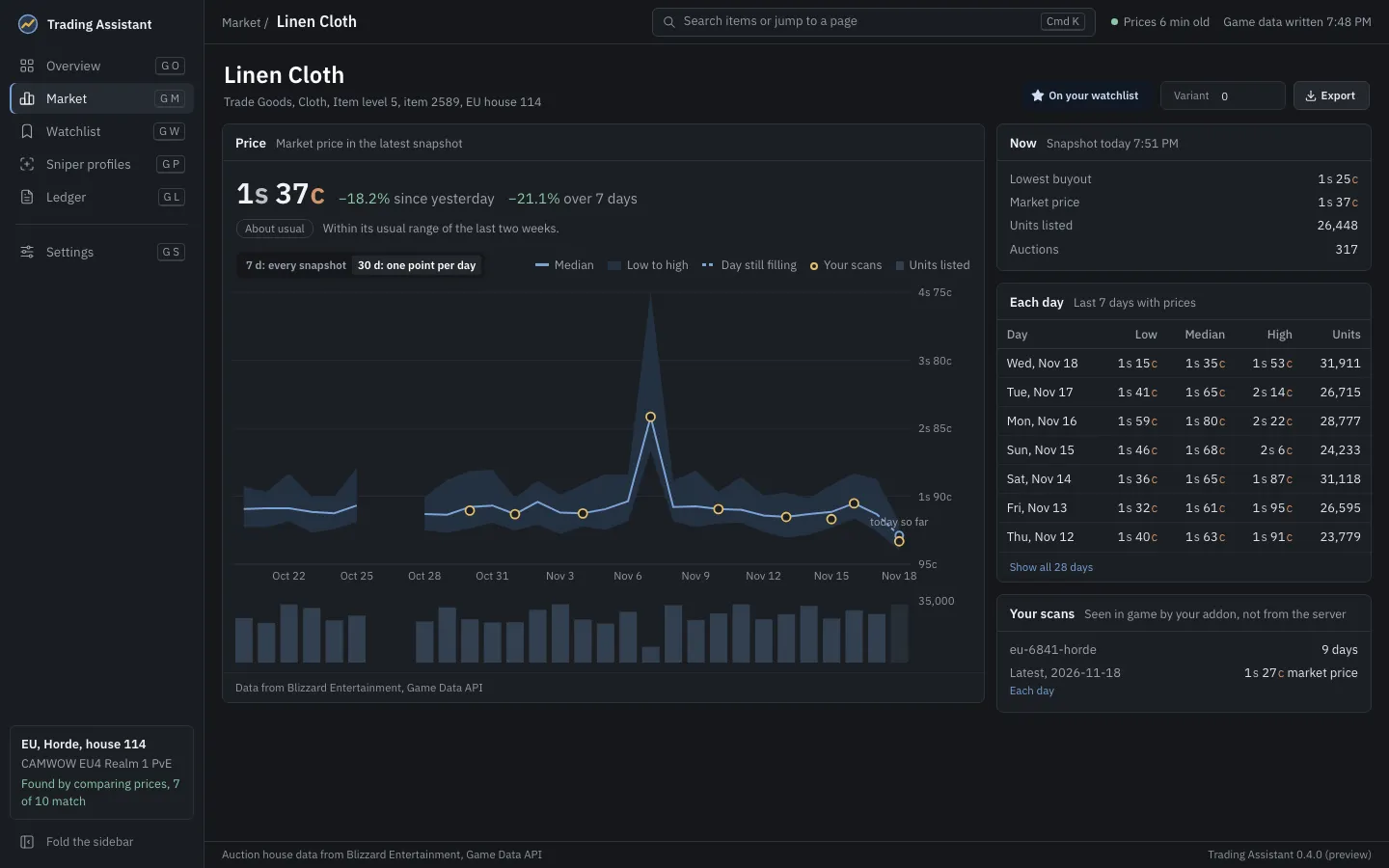
- Price: the market price in the latest snapshot, its change since yesterday and over 7 days, and its reading in a few words.
- The chart: 7 d shows every snapshot of the last week, 30 d one point per day. It draws the median, the low to high band, the day still filling (dashed), your own scans as rings and the units listed as bars underneath. A range with nothing in it is switched off.
- Now: the lowest buyout, market price, units listed and number of auctions in the latest snapshot.
- Each day: the low, median, high and units of each day, the last 7 first, and Show all.
- Your scans: what your addon saw of this item in game, per market, which is not from the server.
On your watchlist adds the item to the watchlist or removes it. Variant shows another bonus ID of the item (0 is the plain item). Export saves this item’s server history at this house as CSV or JSON, to a file you choose.
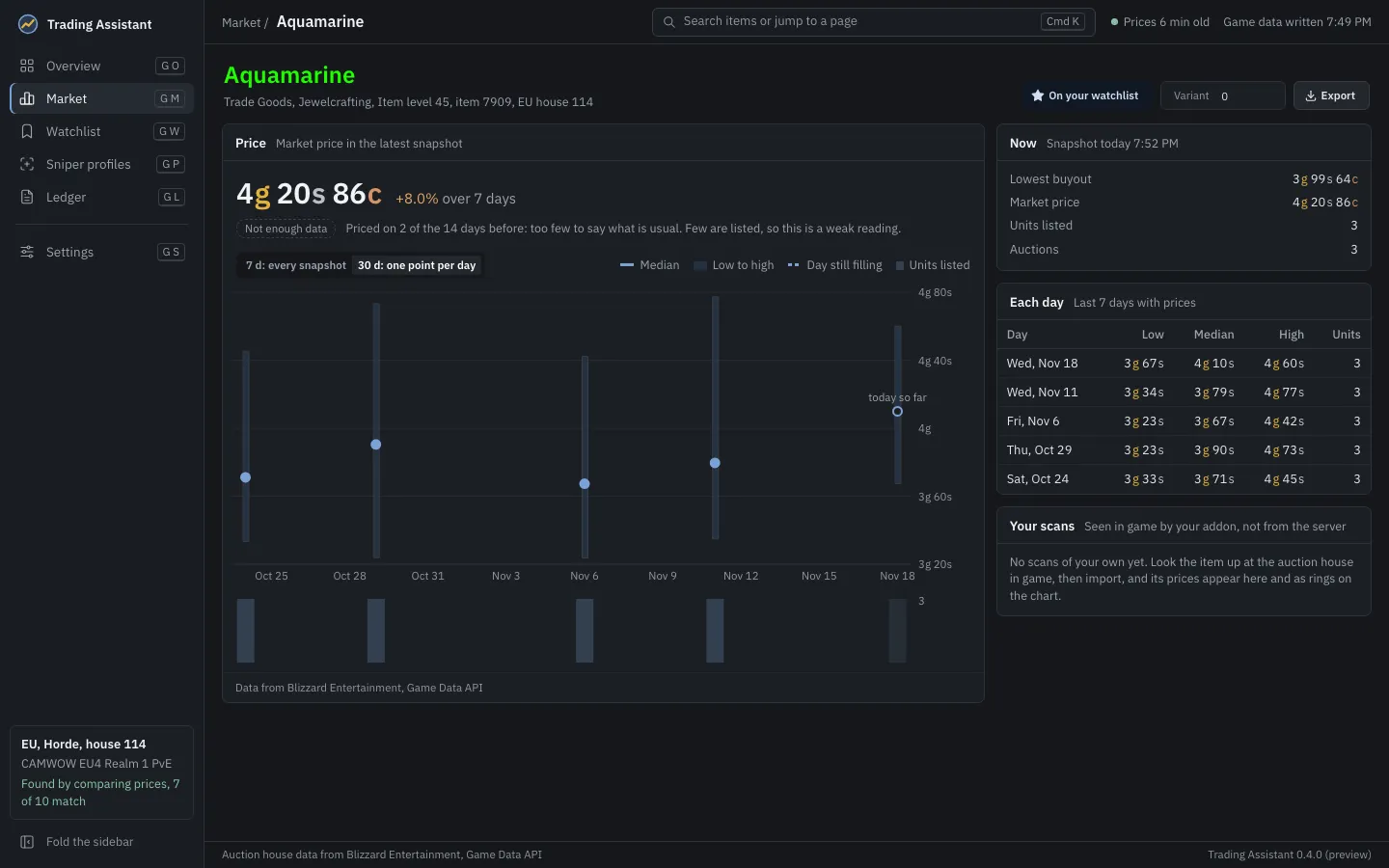
The chart and figures come from the price server: Blizzard Entertainment’s Game Data API data for the house. Every page showing such data says so at its foot.