
The command bar
The command bar opens with Cmd K on macOS and Ctrl K on Windows and Linux, or a click on
the search box at the top of every page. / opens it to search items (on the Market page, /
goes to the table’s filter instead). It opens empty each time.
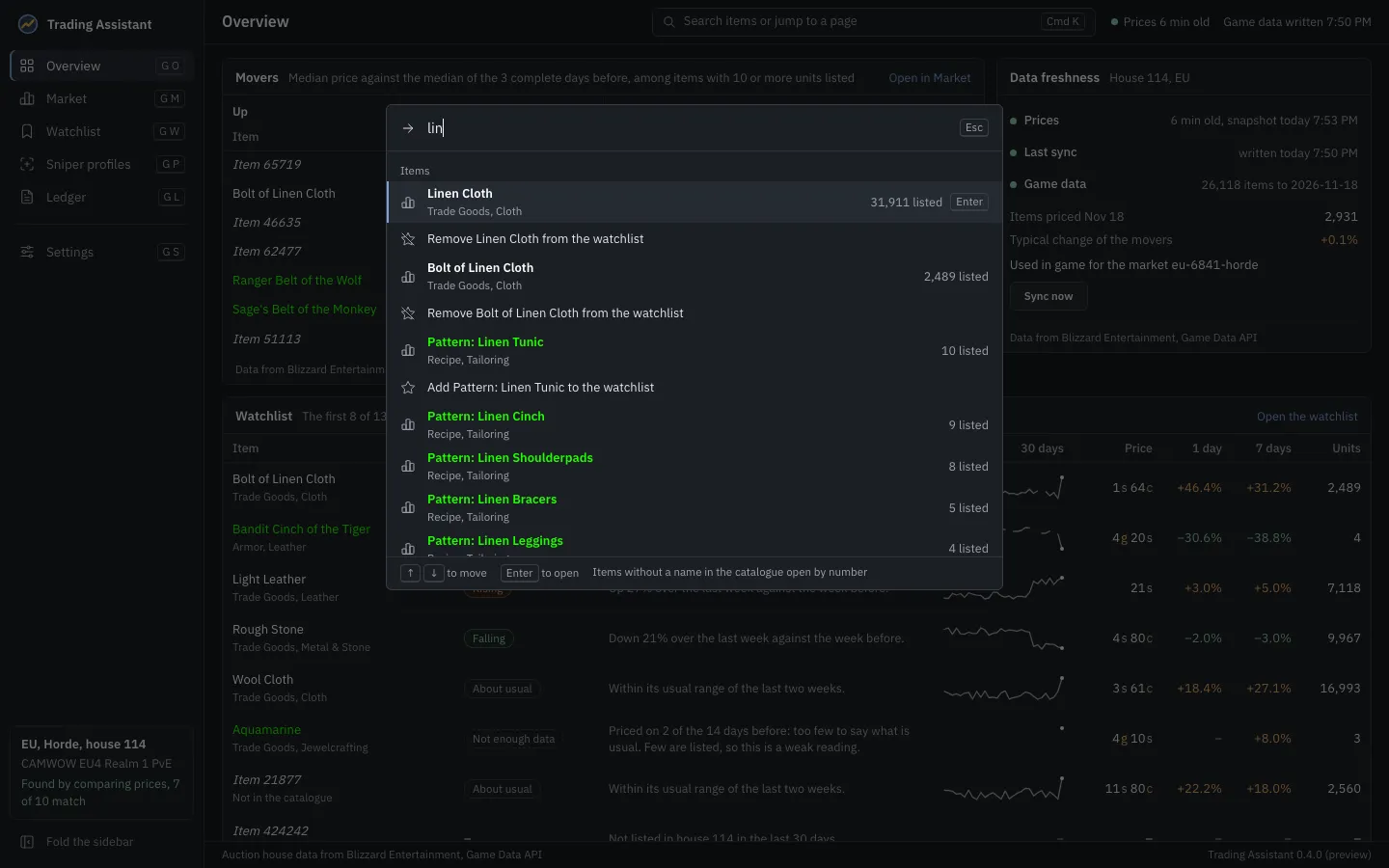
Type to find:
- Pages: Overview, Market, Watchlist, Sniper profiles, Ledger, Settings, the guided setup and the access key.
- Commands: Import now (read the addon’s saved data), Sync now, Compare again (find your house again), Export your price history, folding or unfolding the sidebar, and Show the shortcuts.
- Items: after a short pause in typing, the items whose names match, with how many are listed. The first few are each followed by an entry that adds the item to the watchlist of the house in view, or removes it. A number opens the item with that number, which is how to reach items the catalogue has no name for.
The up and down arrows move, Enter opens, Escape closes. Only the answer to the text in the box is ever listed: a slow answer to something typed earlier is never shown.
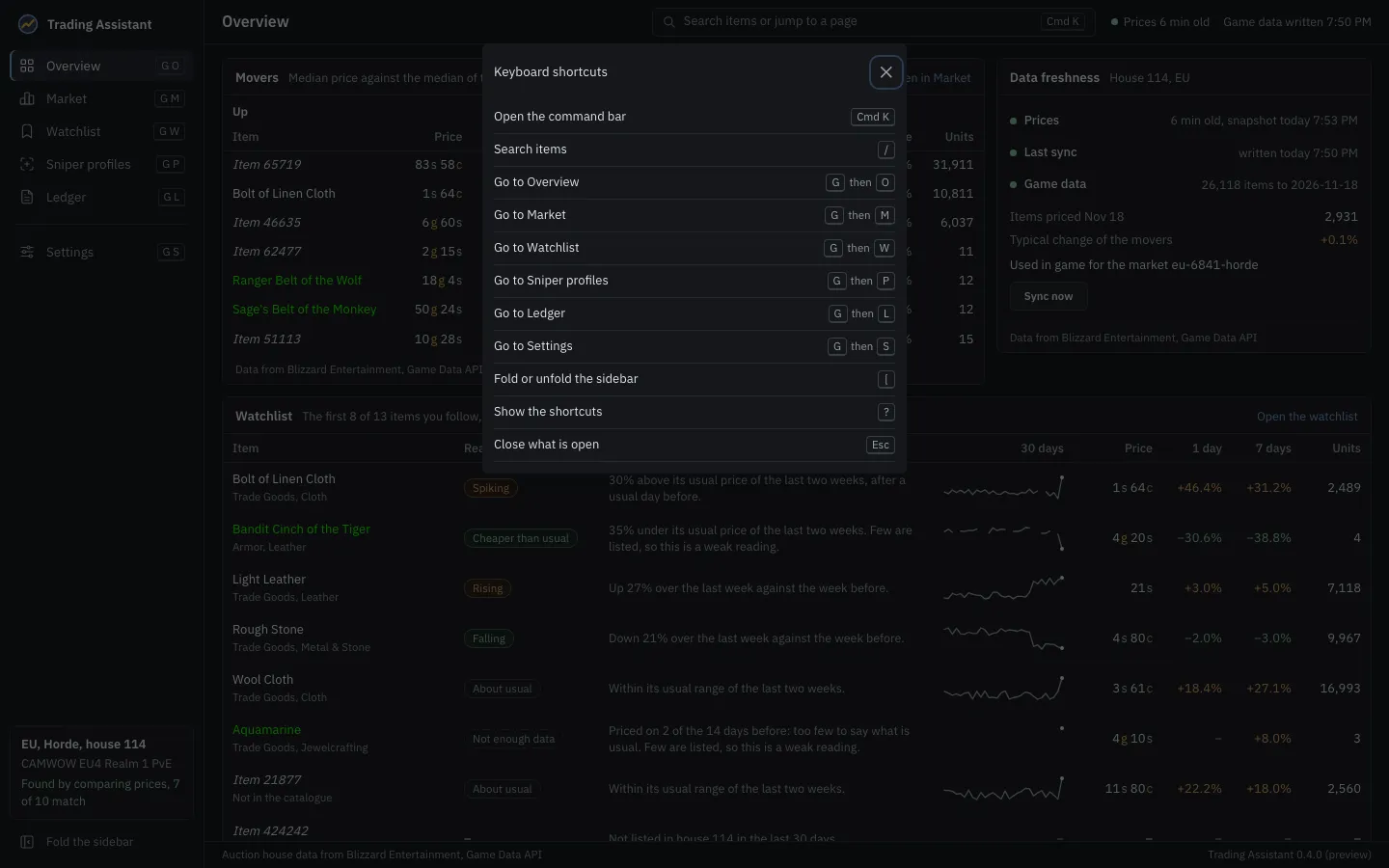
Every keyboard shortcut is listed in Keyboard shortcuts, and in the app with ?.